
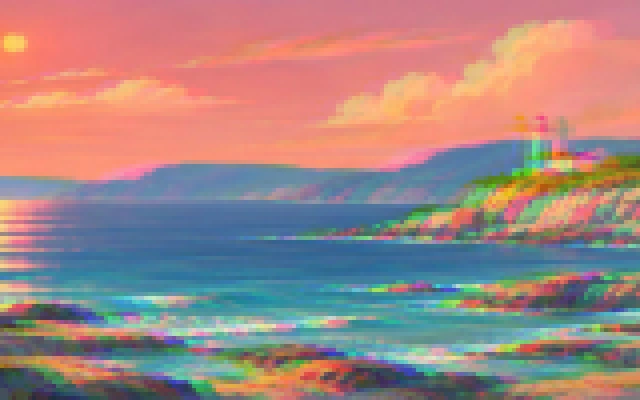
RGB channel separation


Set the offset to zero, then raise it. Where does the split become visible first?
Interactive demo#PixelLookScreen-space effects and shadersCRT displays
Offset the red and blue samples of the finished image to create coloured fringes along edges.
Keep green at the original screen coordinate. Sample red a few pixels to the left and blue the same distance to the right. Flat regions mostly keep their colour. At the lighthouse and the shoreline the three samples can come from different surfaces, exposing separate colour edges.
Code
namespace rgb_fringing_lesson;
import stage;
import std;
import math;

var pixels: u8[64000] = [0;64000];

export "rgb-fringing" fn draw(time: f64, dt: f64, px: f64, py: f64, hover: bool) {
    load_texture("coast");
    let offset = number_control("offset", 5) as i64;
    let pan = if hover { px } else { 80 + 72 * sin(time * 0.55) };
    for y in 100 {
        for x in 160 {
            var rgb = coast_sample(x, y, pan);
            let red = coast_sample(max(0, x - offset), y, pan);
            let blue = coast_sample(min(159, x + offset), y, pan);
            put_rgb(pixels[..], x, y, red[0], rgb[1], blue[2]);
        }
    }
    pixel_buffer(pixels[..], 160, 100);
}
Comments
No comments yet.