
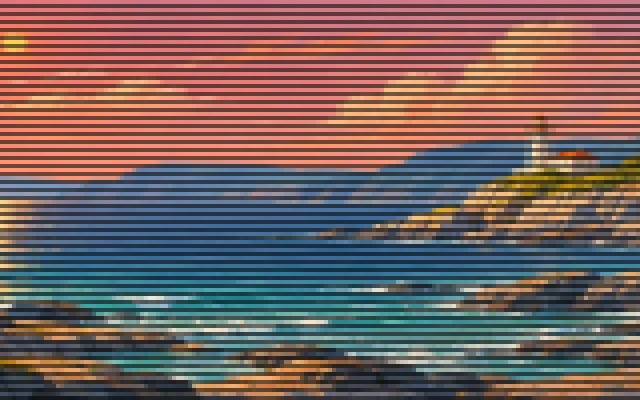
CRT scanlines


Start at zero strength and increase it slowly. Which part of the sky shows the lines first?
Interactive demo#PixelLookF-ZEROScreen-space effects and shadersCRT displaysSNES eraPS1 era
A scanline shader darkens alternating rows of the finished image to suggest the gaps between a CRT’s illuminated lines.
Render the landscape, then multiply every other output row by a lower brightness. Strength controls the gap between lit rows. The bands stay horizontal as the coast moves beneath them. This simplified display effect can be applied to games from several console generations.
Code
namespace crt_scanlines_lesson;
import stage;
import std;
import math;

var pixels: u8[64000] = [0;64000];

export "crt-scanlines" fn draw(time: f64, dt: f64, px: f64, py: f64, hover: bool) {
    load_texture("coast");
    let strength = number_control("strength", 0.55);
    let pan = if hover { px } else { 80 + 72 * sin(time * 0.55) };
    for y in 100 {
        for x in 160 {
            var rgb = coast_sample(x, y, pan);
            let gain = if y % 2 == 0 { 1.0 } else { 1.0 - strength };
            put_rgb(pixels[..], x, y, rgb[0] * gain, rgb[1] * gain, rgb[2] * gain);
        }
    }
    pixel_buffer(pixels[..], 160, 100);
}
Comments
No comments yet.