
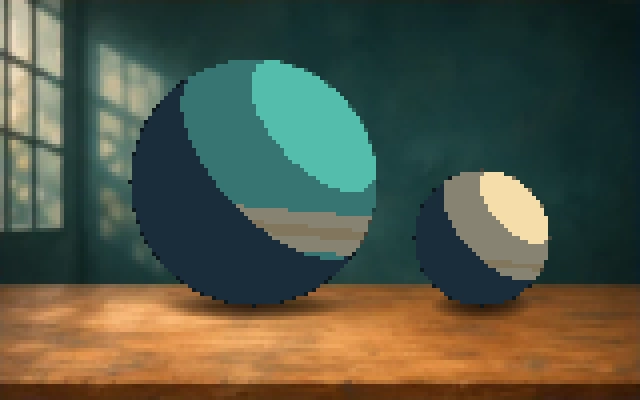
Cel-shaded lighting


Set two bands and move the light. Where does the hard edge travel on each sphere?
Interactive demo#LightAndGlow3D lighting
Quantize the angle of illumination into a few bands to paint hard-edged shadows on curved geometry.
For each point on the sphere, the dot product of the surface normal and the light direction gives a smooth diffuse value. Round that value to one of a few levels before choosing the colour. As the light moves, the boundary slides across the surface while each band keeps its flat colour.
Code
namespace cel_lighting_lesson;
import stage;
import std;
import math;

var pixels: u8[64000] = [0;64000];

export "cel-lighting" fn draw(time: f64, dt: f64, px: f64, py: f64, hover: bool) {
    load_texture("studio");
    let angle = if hover { (px / 160 - 0.5) * PI } else { sin(time * 0.7) };
    let lx = sin(angle) * 0.8;
    let lz = cos(angle) * 0.8;
    let bands = number_control("bands", 3);
    for y in 100 {
        for x in 160 {
            let n = sphere_surface(x, y);
            if n.radius == 0 {
                let backdrop = studio_colour(x, y);
                put_rgb(pixels[..], x, y, backdrop[0], backdrop[1], backdrop[2]);
                continue;
            }
            let lambert = clamp(n.nx * lx + n.ny * 0.6 + n.nz * lz, 0.0, 1.0);
            let level = floor(lambert * (bands - 1) + 0.5) / (bands - 1);
            // The enamel bands are painted on the surface, so the light moves across them.
            let band = abs(n.ny + 0.36 + 0.09 * n.nx);
            let pigment = if band < 0.045 { [234.0, 185.0, 101.0] }
                          else if n.radius < 20 || band < 0.16 { [247.0, 219.0, 166.0] }
                          else { [66.0, 182.0, 168.0] };
            let ink = if n.nz < 0.16 { 0.52 } else { 1.0 };
            put_rgb(pixels[..], x, y, (26 + pigment[0] * level * 0.89) * ink,
                (45 + pigment[1] * level * 0.80) * ink, (58 + pigment[2] * level * 0.68) * ink);
        }
    }
    pixel_buffer(pixels[..], 160, 100);
}
Comments
No comments yet.