
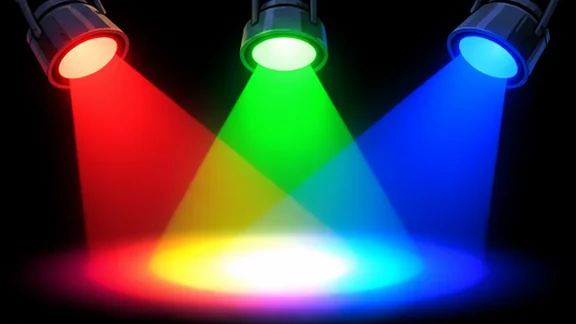
Additive blending

Watch the spot where two lights cross. Toggle additive blending and compare that spot with either light alone.
Interactive demo#LightAndGlowPS2 era
Adding colours together instead of covering them, so overlaps get brighter.
Normal drawing replaces what’s underneath. Additive drawing adds light to it, the way two torch beams make a brighter spot where they cross. It’s what makes fire, lasers and magic look like they glow.
Code
namespace additive_blending_lesson;
import stage;
import std;
import math;

export "additive-blending" fn draw(time: f64, dt: f64, px: f64, py: f64, hover: bool) {
    artwork("hall");
    rect(0, 0, W, H, "rgba(9,15,30,0.68)");
    additive(toggle("on"));
    let colors = [[255, 93, 108], [62, 213, 152], [111, 168, 255]];
    let phases = [0.0, 2.09, 4.19];
    let radius = 15 + sin(time * 0.9) * 9;
    for rgb, i in colors {
        let angle = time * 0.8 + phases[i];
        glow(80 + cos(angle) * radius * 1.3, 50 + sin(angle) * radius, 30, rgb[0], rgb[1], rgb[2]);
    }
    additive(false);
}
Comments
No comments yet.